How to Create Custom Chat Bots for Home Services
How to Create Custom Chat Bots for Home Services ! Homeowner setting up chat bot in kitchen Every home service business loses leads after hours.

Every home service business loses leads after hours. A customer searches for an HVAC repair at 10 PM, lands on your website, and leaves because no one answered their question. That missed connection is a missed job. Custom chat bots solve this by handling customer inquiries, booking appointments, and capturing leads around the clock. In this guide, you will learn how to plan, build, launch, and optimize a chat bot designed specifically for home service businesses like yours.
Key Takeaways
| Point | Details |
|---|---|
| No-code is easiest | Home service businesses can quickly deploy chat bots using platforms like HubSpot and Zendesk—no coding required. |
| Start with clear goals | Define specific business goals for your bot, such as booking appointments or answering top FAQs. |
| Test and refine often | Launching your bot is just the start—monitor performance and regularly improve conversations based on real customer data. |
| Simple beats complex | Focusing your bot on one or two high-impact tasks increases adoption and delivers faster returns. |
What you need to get started
Before you build anything, you need to be clear about what your chat bot is supposed to do. The biggest mistake businesses make is jumping into a platform without a defined goal. Are you trying to capture leads after hours? Answer questions about service areas? Book appointments automatically? Pick one primary objective and start there.

The good news is that no-code platforms like HubSpot, Zendesk, and Zapier make it possible for any home service business to build a custom chat bot without writing a single line of code. These tools offer templates, drag-and-drop builders, and pre-built flows for lead qualification, appointment booking, and FAQ handling for HVAC, landscaping, and construction inquiries.
Here is a quick comparison to help you choose:
| Platform | Best for | Cost | Integrations |
|---|---|---|---|
| HubSpot | Lead capture and CRM sync | Free tier available | Email, calendar, CRM |
| Zendesk | Customer support automation | Paid plans | Ticketing, messaging |
| Zapier | Workflow automation between tools | Free and paid | 5,000+ apps |
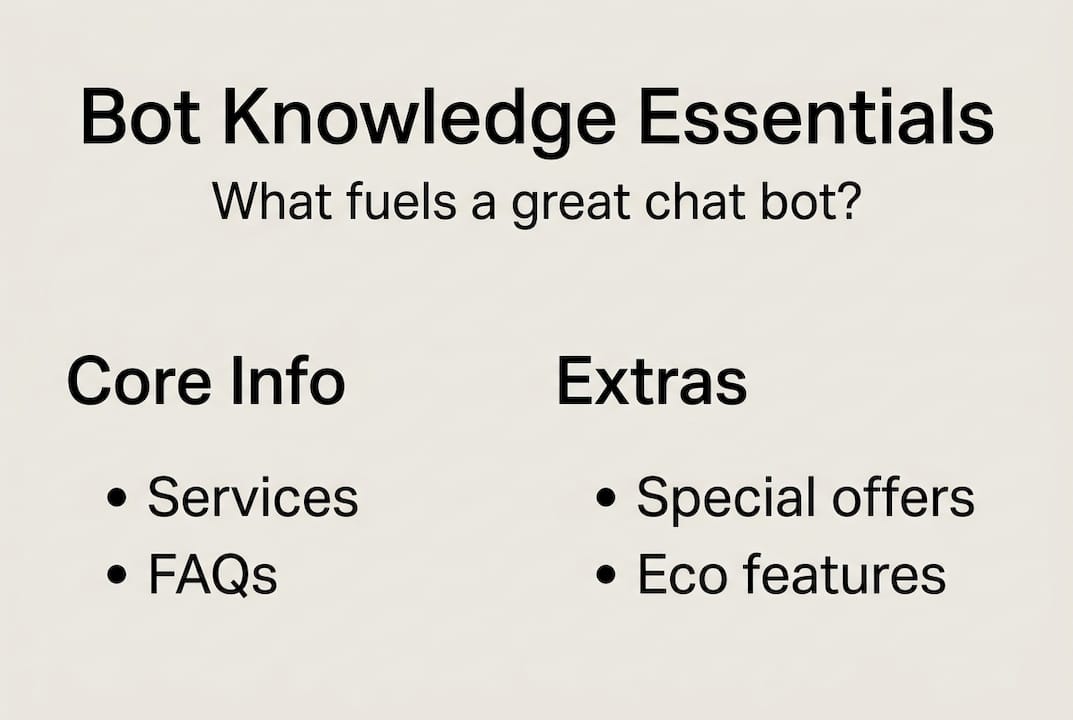
Before you log into any platform, gather these essentials:
- Business contact info, service areas, and hours
- Your top 10 to 15 frequently asked questions
- A list of services with brief descriptions
- Access to your booking calendar or CRM
- A basic idea of how customers typically reach out
If you offer eco-friendly HVAC solutions, your bot should know that. Your knowledge base is the fuel that makes the bot useful.
Pro Tip: Resist the urge to make your bot do everything at once. A focused bot that books appointments well outperforms a cluttered bot that tries to handle billing, complaints, and sales simultaneously.
Planning your bot: Goals, flows, and conversation design
Once you know which tools you will need, the next step is building a strong foundation with thoughtful planning. Think of a conversation flow like a decision tree. Every question a customer asks leads to a branch. Your job is to map out the most common branches before you touch a single setting.
For home service businesses, the most valuable flows typically involve 24/7 appointment booking, service area confirmation, pricing inquiries, and emergency contact routing. Pick the one that would save you the most time if automated today.
Here is how to sketch out your first conversation flow:
- Write down the top 5 questions customers ask most often, pulled directly from your call history or email inbox
- For each question, write two to three possible responses the bot could give
- Decide which responses lead to an action like booking or calling, and which lead to more questions
- Draw this as a simple flowchart, even on paper
- Identify where a customer might need to speak to a real person and add a handoff step
- Use your chosen no-code builder such as Zendesk AI agents, HubSpot Breeze, or Dialogflow to recreate the flowchart digitally
Businesses using home automation for HVAC often find that seasonal question spikes, like pre-summer AC checkups, are perfect candidates for automated flows that handle high volume without adding staff.
Pro Tip: Open your last 30 customer emails or voicemails and copy the exact phrases customers use. Feed those phrases into your bot's training so it recognizes natural language, not just textbook questions.
Building and training your chat bot step by step
With your plan mapped out, it is time to get hands-on with your platform. The first decision is whether to use a rule-based or AI-powered bot.
| Type | How it works | Best use case | Cost |
|---|---|---|---|
| Rule-based | Follows pre-written scripts | Simple FAQs and booking forms | Low or free |
| AI-powered | Understands natural language | Complex conversations and follow-ups | Higher, requires credits |
For most small home service businesses, rule-based bots like those in HubSpot free tier are the right starting point. AI-powered options like Zendesk or HubSpot Breeze deliver more natural conversations but come at a higher cost. Choose based on your budget and the complexity of customer interactions you expect.
Here is the step-by-step build process:
- Create an account on your chosen platform and select a chatbot template
- Set your bot's greeting and define the first question it asks visitors
- Build out your conversation flows using the flowchart you designed in the planning phase
- Upload your FAQ document and service descriptions as the knowledge base
- Connect your bot to your CRM or booking calendar, tools like Jobber or Housecall Pro integrate smoothly with most platforms
- Enable notifications so you receive alerts when a lead is captured or a booking is made
Businesses exploring AI-powered solutions for home service operations often find that even a basic bot reduces inbound phone calls by handling repetitive questions automatically.
A word of caution: Never launch your bot without testing every single conversation path. A bot that gives wrong service area information or fails to book correctly will frustrate customers faster than having no bot at all.
Testing, deploying, and optimizing your chat bot
You have built and connected your bot. Now, let us make sure it actually works for your business before a real customer sees it.
Run through these testing scenarios before going live:
- Ask every question on your FAQ list and check that the answers are accurate
- Test the booking flow from start to finish, including a confirmed appointment on your calendar
- Send an edge-case question, something your bot was not trained on, and verify the handoff to a human works
- Test on both desktop and mobile to confirm the layout and buttons display correctly
- Have a coworker or friend test it without any coaching and watch where they get confused
Once live, watch for these common mistakes that undermine bot performance after launch:
- Not updating the FAQ list as services or pricing change
- Skipping CRM integration so leads are not saved anywhere
- Ignoring the bot's conversation logs, which contain your best optimization data
- Using overly formal language that does not match how your customers actually talk
- Setting the bot to replace all human contact instead of supporting it
Pro Tip: Schedule a monthly 20-minute review where you read through the past month's bot conversations. You will spot gaps, find new questions to add, and catch any outdated responses before they cost you a job.
What most home service businesses get wrong about chat bots
Here is something most guides will not tell you. Testing your bot and launching it is only step one. The businesses that actually see results treat their bot like a new employee, one that needs feedback, training, and regular check-ins to improve.
Most businesses overcomplicate their bot on day one by adding too many flows, too many options, and too much information. The result is a bot that confuses customers instead of helping them. A single, high-value flow like appointment booking delivers faster ROI than a sprawling bot trying to handle every scenario.
The real competitive edge comes from using your bot's conversation logs as a feedback loop. Real customer questions, phrased the way real customers talk, are the most valuable training data you will ever have. Iterative improvements based on that data will always outperform any bot built on assumptions alone.
Boost your business with expert AI chat bot help
Custom chat bots can rapidly shift how your home service business handles customer interactions, turning missed calls into confirmed bookings and after-hours visitors into warm leads. If you are ready to move faster or want a setup built specifically for your business goals, AI strategist support is available to help you get there. From strategy to build to optimization, expert guidance removes the guesswork and gets your bot working for you from day one.
Frequently asked questions
Can I create a custom chat bot without coding skills?
Yes, no-code platforms like HubSpot and Zendesk let you build chat bots using templates and pre-built flows with no technical background required.
Which chat bot platform is best for small home service businesses?
HubSpot and Zendesk are strong choices because they offer free rule-based bots for simple scripts and scalable AI features as your needs grow.
How do I connect my chat bot to my booking calendar?
Most no-code platforms support direct integrations with service tools, letting your bot schedule with Jobber or Housecall Pro automatically without manual input.
What is the main difference between rule-based and AI-powered chat bots?
Rule-based bots follow fixed scripts and cost less, while AI-powered bots understand natural language but typically require higher-cost plans or usage credits.